
What is an Organization Owner
The Organization Owner is the person who owns the final physical signs. They don't need a SignAgent license or to spend a lot of time in the system, but this role helps clarify the ultimate owner of the SignAgent data.
Adding An Owner
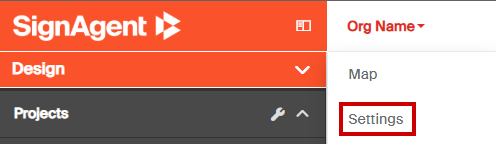
- Navigate to the Organization's settings
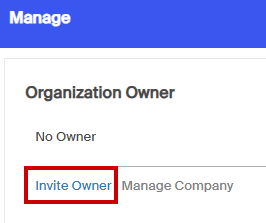
- In the Manage pane, click "Invite Owner"
- Fill in the pop-up screen's information and press "Invite Owner"
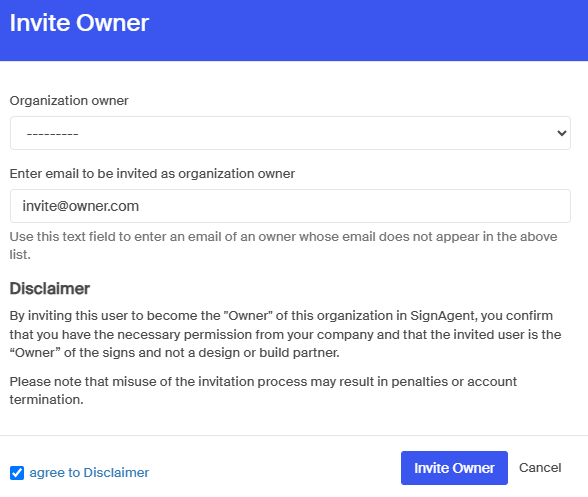
Organization Owner - This drop down allows for selection of any users who already have some level of permission within the organization.
Enter Email - If the new owner doesn't have any permissions yet, enter their email directly in this field. - An email invitation to accept ownership will be sent to this account. Once accepted, they will have data ownership of this organization.
Change Owner
Changing an owner follows the same process show above but can only be done by the current Organization Owner.