
Note: Only the Billing Owner can make this change
Cancelling
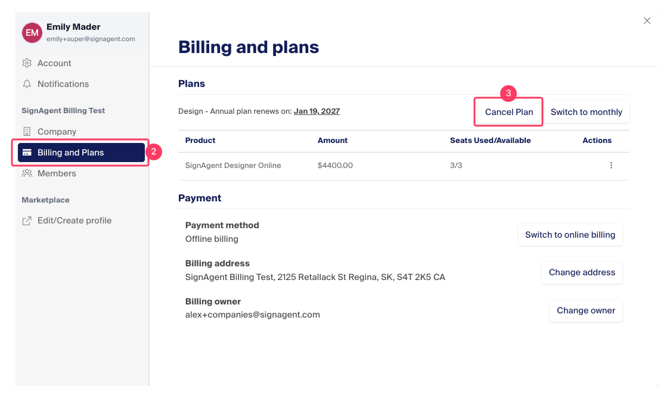
- Access the Settings Modal
- Choose "Billing and Plans"
- Click the "Cancel Plan" button
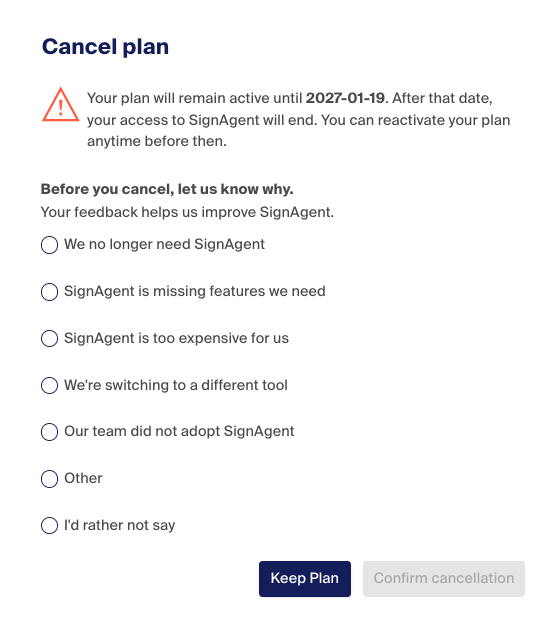
A pop-up will appear asking why you are cancelling. Once you've chosen an answer, you can click the "Confirm Cancellation" button to confirm.
Note: Data stored in SignAgent is guaranteed to be saved for a year
Reactivate
- Access the Settings Modal
- Choose "Billing and Plans"
- Select "Reactivate Subscription"
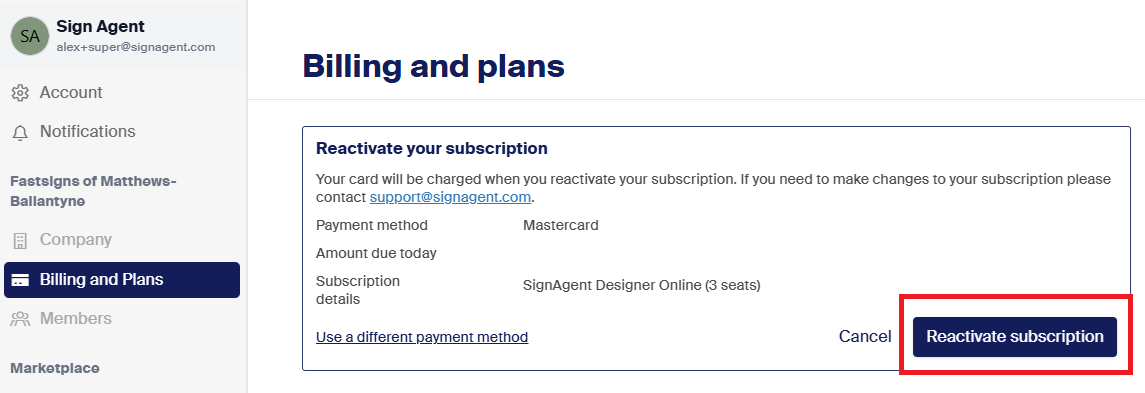
This will restart your SignAgent subscription at the tier, frequency, and payment method present when the license was last active. If any adjustments to this license are required prior to reactivation please reach out to support@signagent.com