
Note: Only the current Billing Owner can make this change
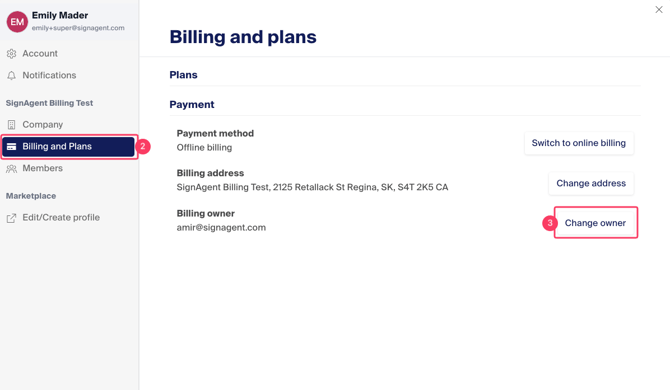
2. In the pop-up window, choose "Billing and Plans"
Click the "Change Owner" button
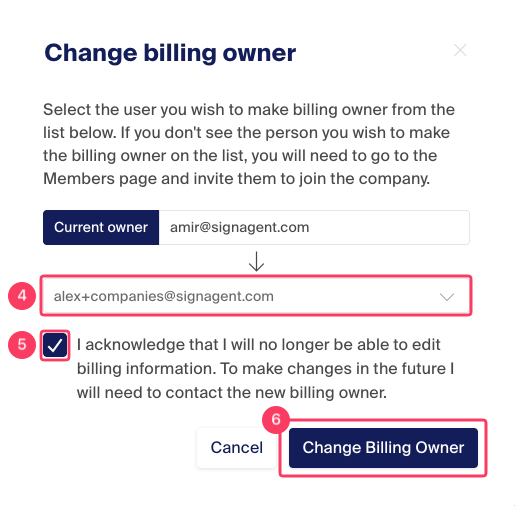
4. Choose the person you want to transfer Billing Owner status to from the dropdown. If they are not in the list, invite them to the company first. (You can see how to invite Members to your Company here.
5. Acknowledge you will no longer be in control of Billing
6. Choose "Change Billing Owner" to save the change
For more information on the different roles and access, see this article.