To create a Marketplace profile you need to be an "Admin" or "Billing Owner" within your company who holds an active license. If you need to work on the profile, but don't meet these criteria, please reach out to support@signagent.com
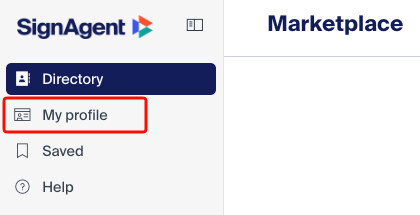
1. Navigate to "My profile" tab
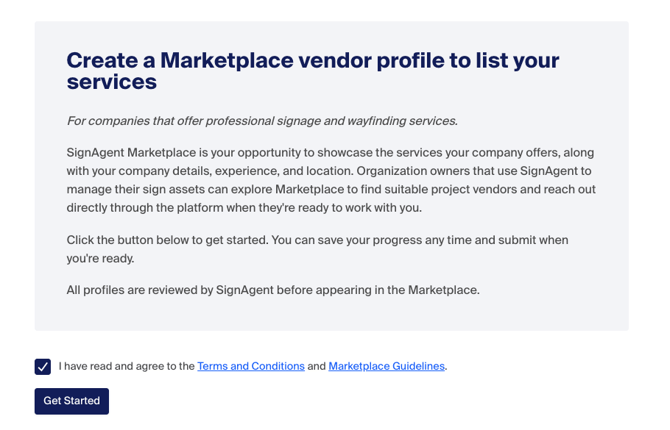
2. Agree to the terms and conditions
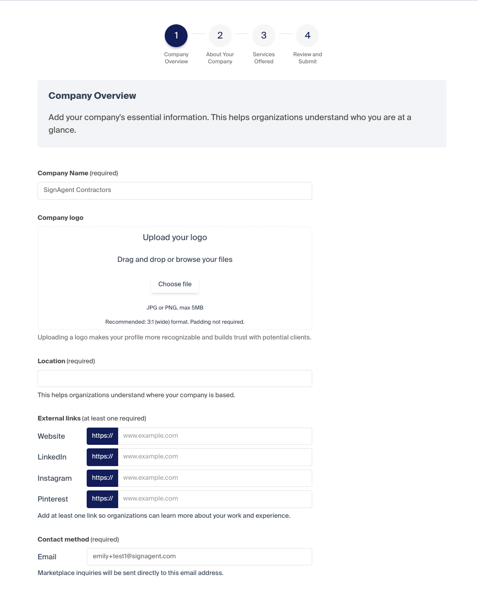
3. Enter contact and company information
4. Enter Marketplace information
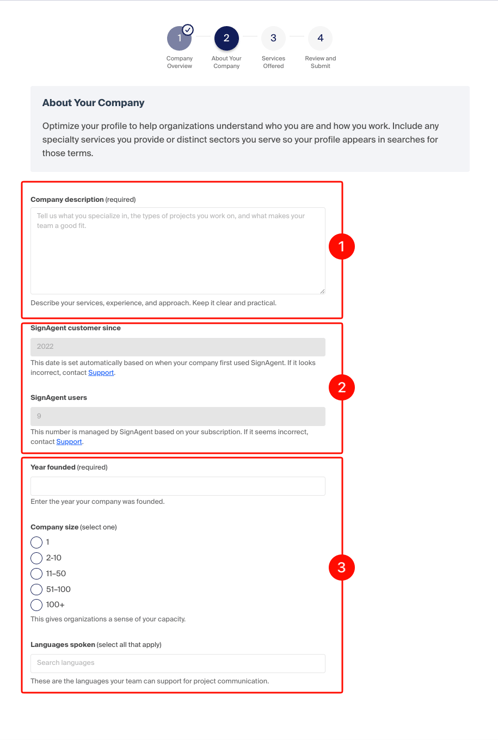
- Description - This is a freeform textbox that is included in the Marketplace search.
- Automatic Info - The length of use and number of users are automatically filled out. If the information is incorrect, please contact our team.
- Manual Info - Information about your company
The first iteration of the Marketplace profile is fairly rudimentary. If there is information you want to be searchable such as more specific services offered, geographic area covered, or anything else, include that in the Description. Common inclusions will serve as a guideline for future development.
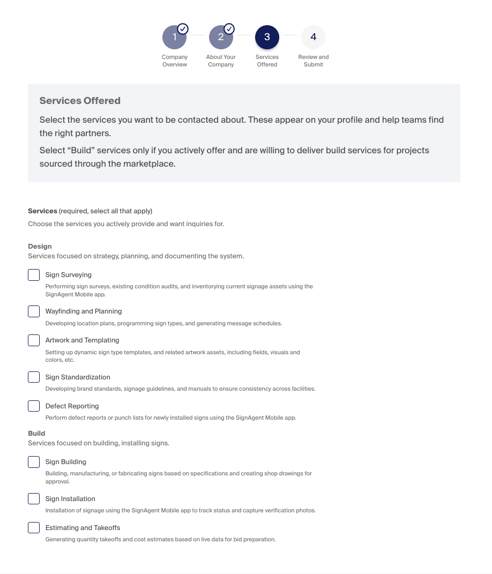
5. Check off what services are offered
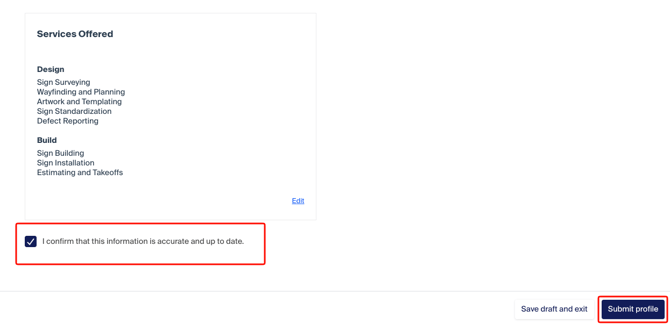
6. Read over your information and click "Submit Profile"