
Note: Only the Billing Owner can make this change
- Choose "Billing and Plans"
- Under "Plans" at the top, click the "Switch to Monthly" or "Switch to Annual" button
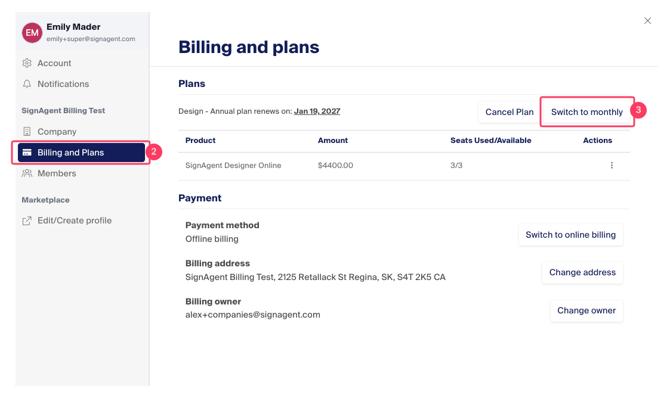
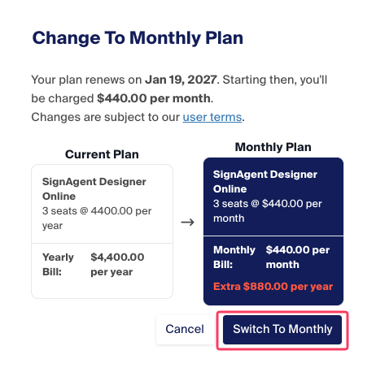
You will receive a breakdown of the changes and what the amount of your ongoing payments will be going forward. Please read this through carefully before clicking "Switch to Monthly" or "Switch to Annual".
See example below. This will vary depending on your price plan and the date you switch.
If you need further assistance or these changes are not what you require, please contact billing@signagent.com