-
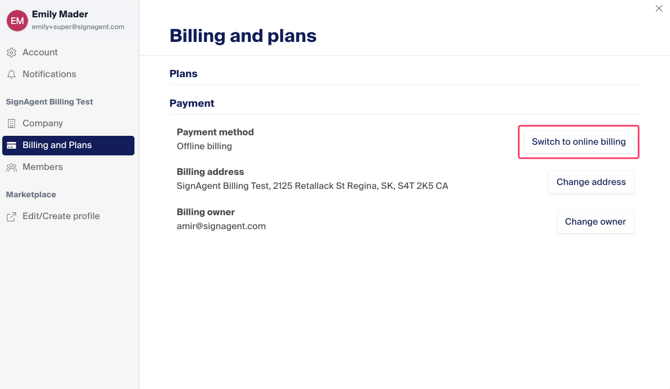
Click your name in the top right and choose "Settings"
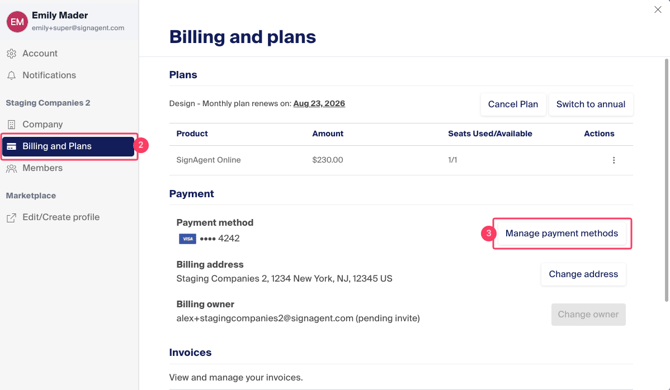
- In the pop up window, choose "Billing and Plans"
- Click the "Manage payment methods" button
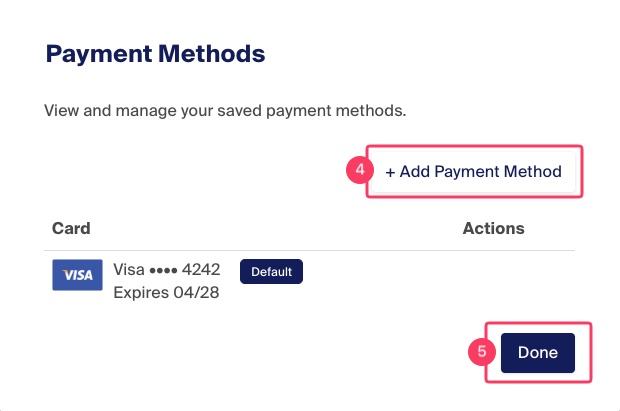
4. Click the "Add Payment Method" button to add a credit card or update an existing one if the default has expired
5. Click "Done" to save your changes
Switch to Online Billing
If you are billing offline and want to switch to online payments, click the "Switch to Online Billing" button and follow the same steps above.