
SignAgent offers tiered pricing for all online Customers. If you need to add or reduce your number of seats, use the steps below.
Note: a "seat" is the term we use to describe the number of licenses your subscription allows. You can add seats/go up a tier, or reduce seats/go down a tier. You can also "free up" a seat by removing a license from an existing user. For more on this please see section 2 of this article.
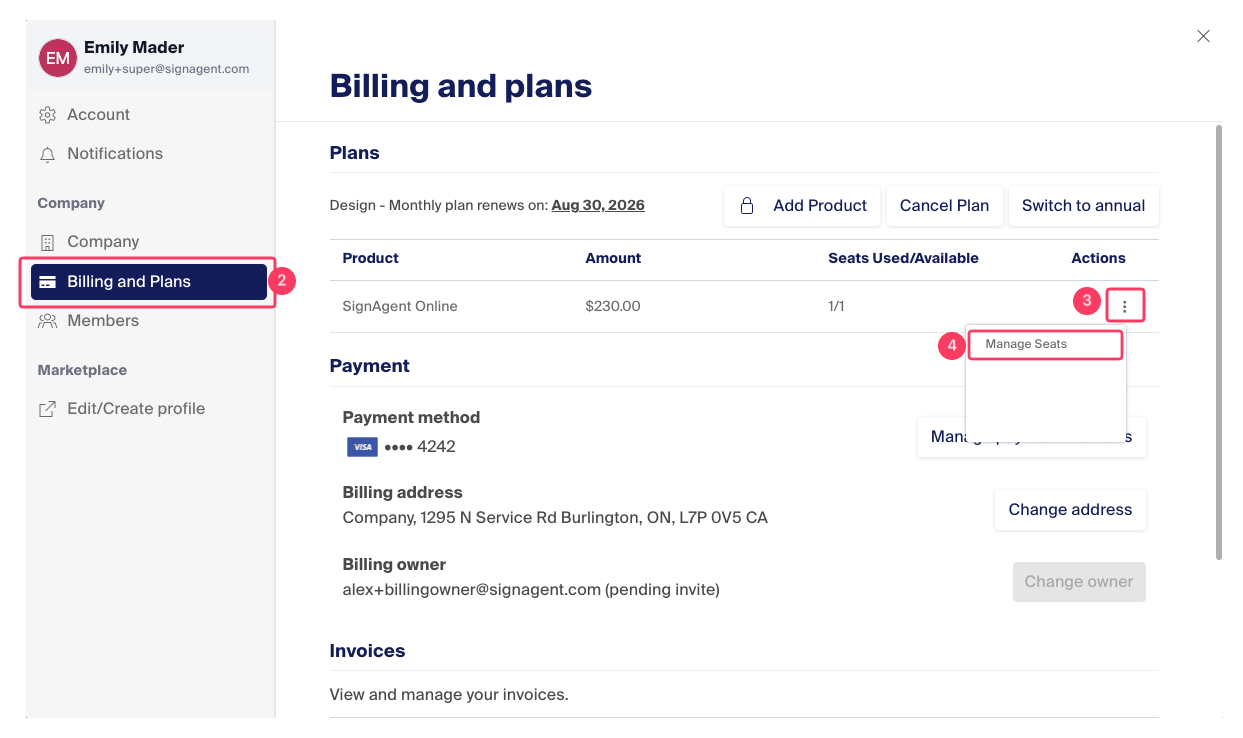
- Access the Settings Modal
- In the pop-up window, choose "Billing and Plans"
- Click the three dots icon under "Actions"
- Choose "Manage Seats"
- A window will appear showing the pricing tiers with the one you are currently on highlighted. Choose which one you want to move to, and a calculation will give you the changes, proration and credit remaining on your current cycle. Please look this over carefully, then choose "Confirm Plan Changes"